Boardroom Essentials – 12 executive slide frameworks
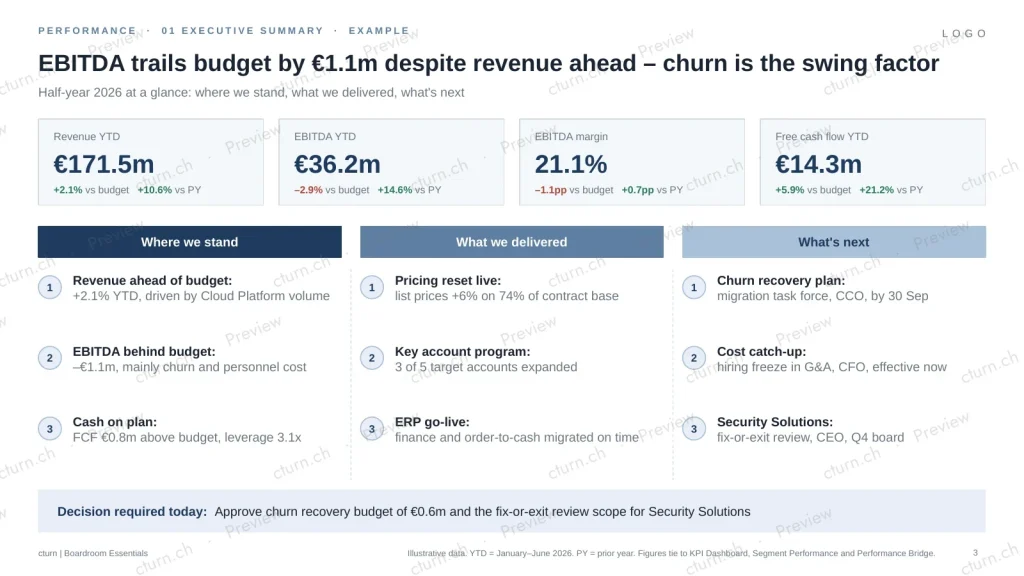
The twelve slides a PE board asks for, quarter after quarter – each as an editable template, a filled example and a one-page guide.
CHF 290
one-time · company licence · Try the free sample first · Instant download
By purchasing you accept our terms and licence. Payments processed by Paddle.
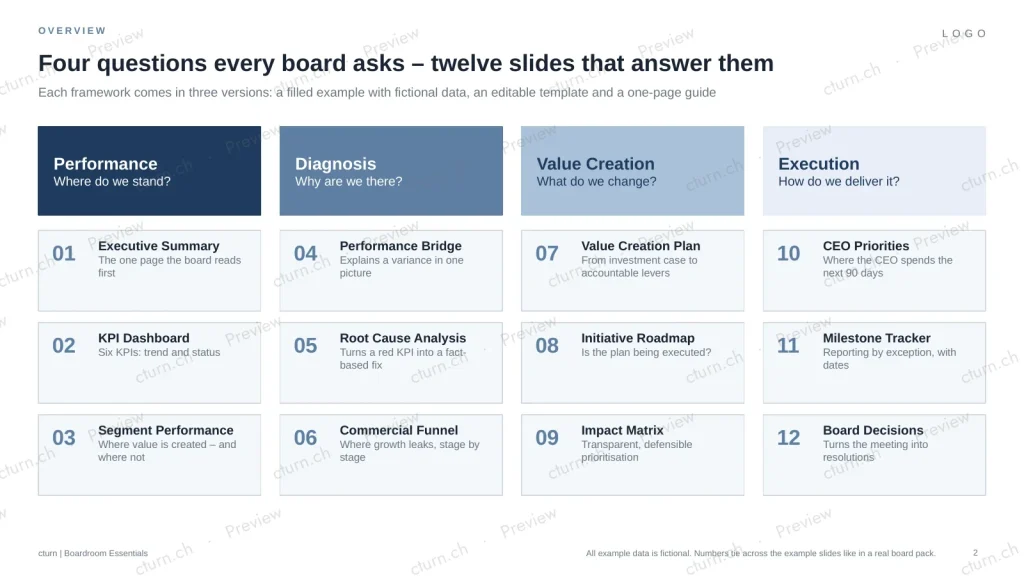
Four questions, twelve answers
Where do we stand?
- Executive Summary
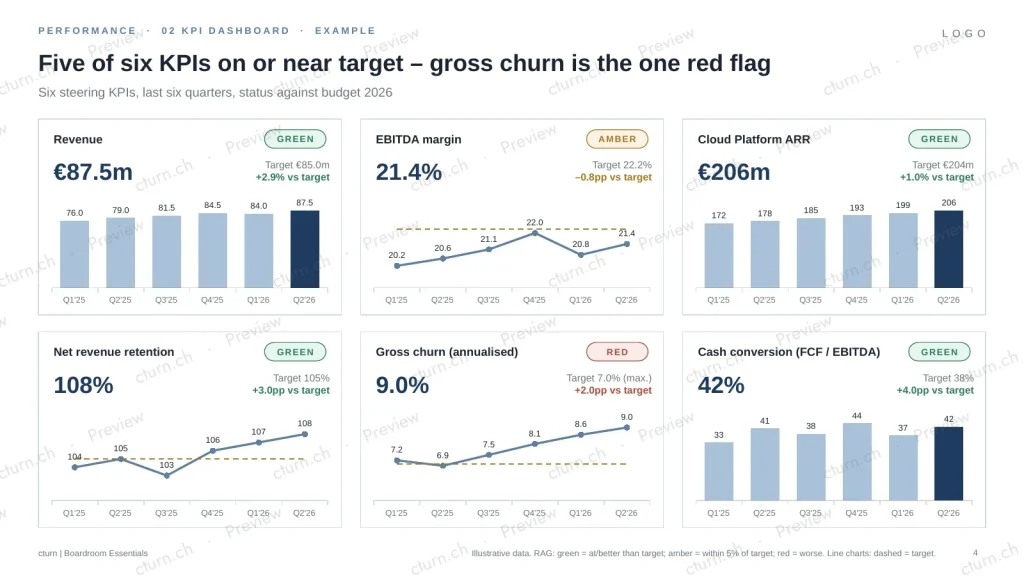
- KPI Dashboard
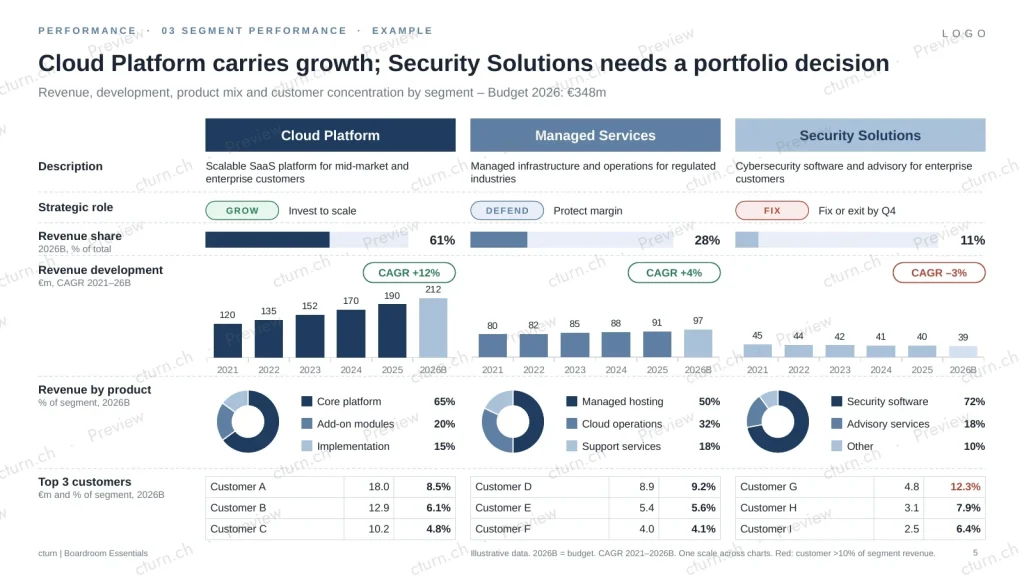
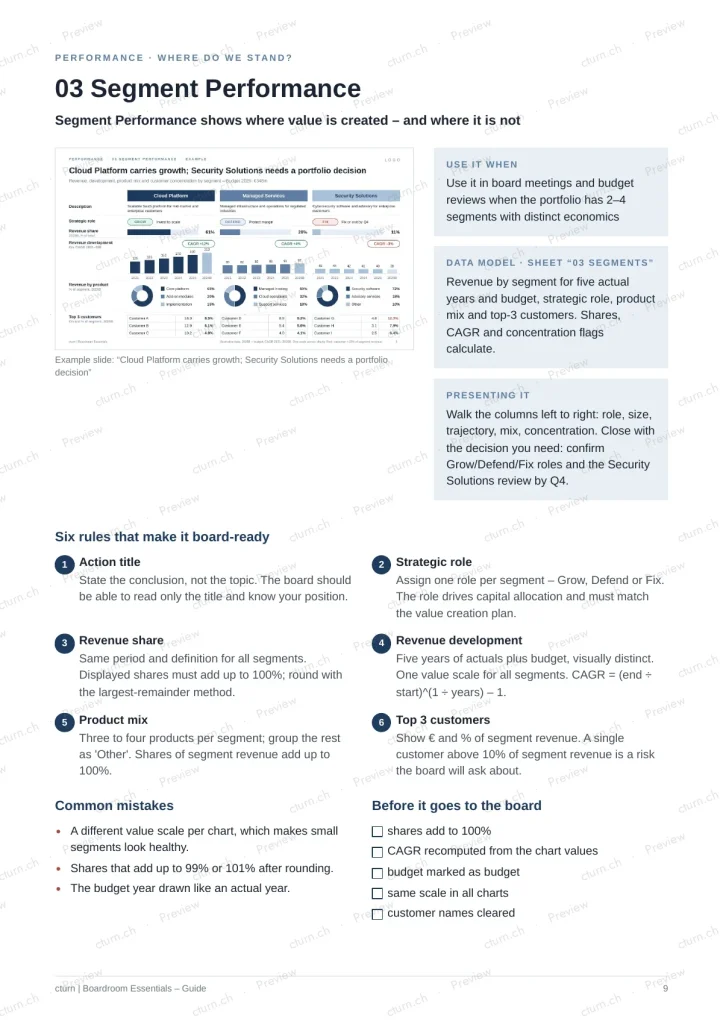
- Segment Performance
Why are we there?
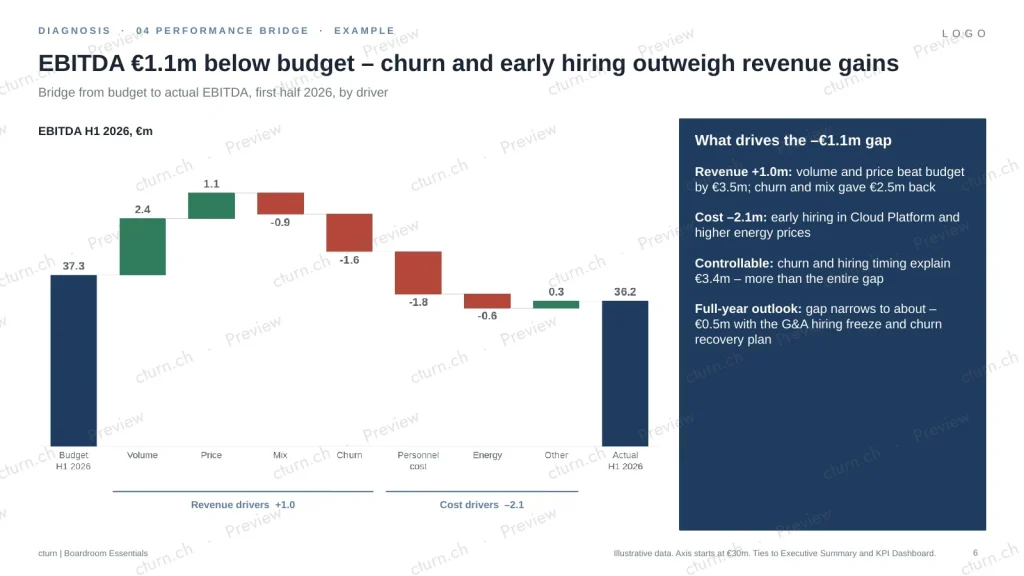
- Performance Bridge
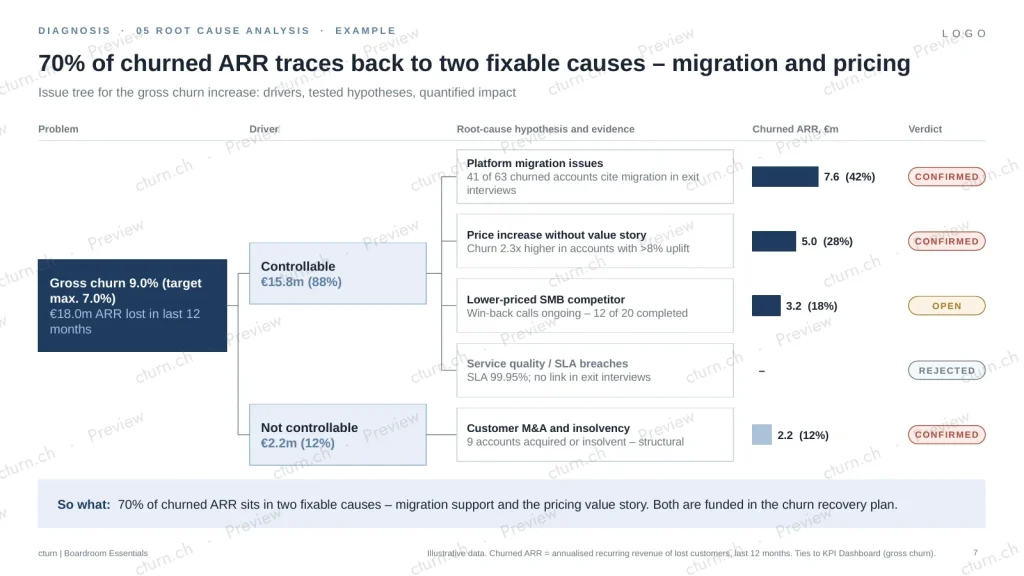
- Root Cause Analysis
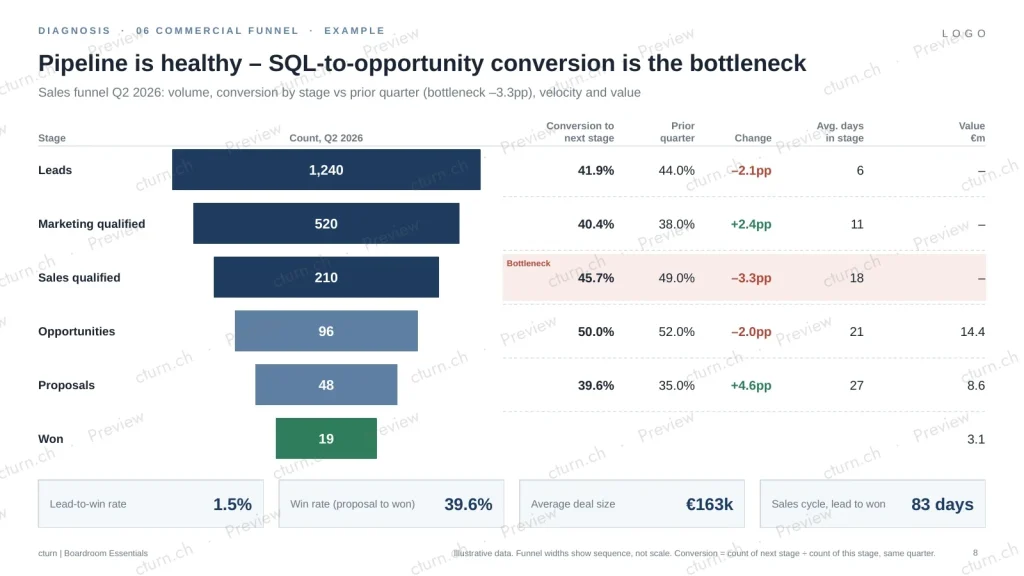
- Commercial Funnel
What do we change?
- Value Creation Plan
- Initiative Roadmap
- Impact Matrix
How do we deliver it?
- CEO Priorities
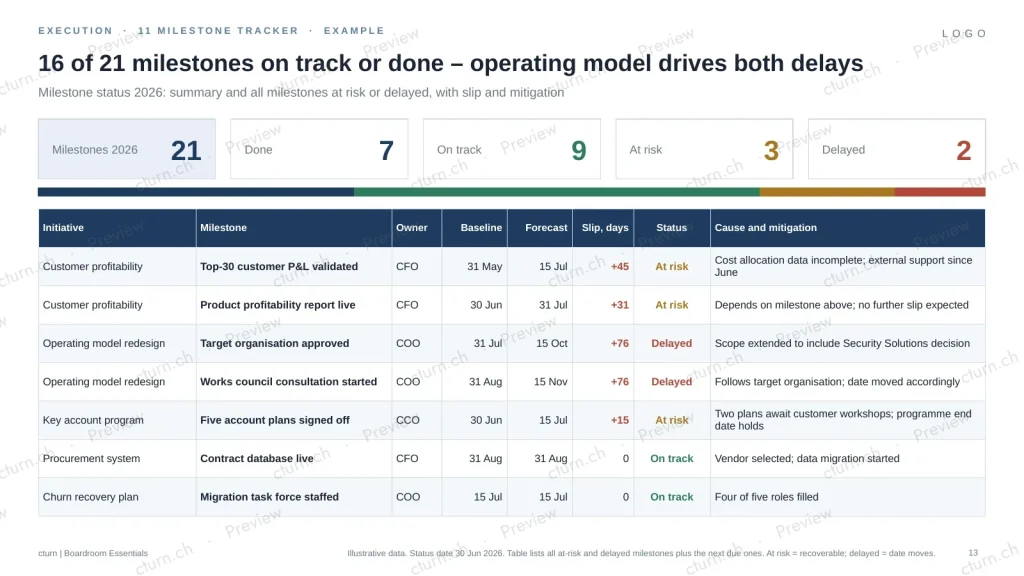
- Milestone Tracker
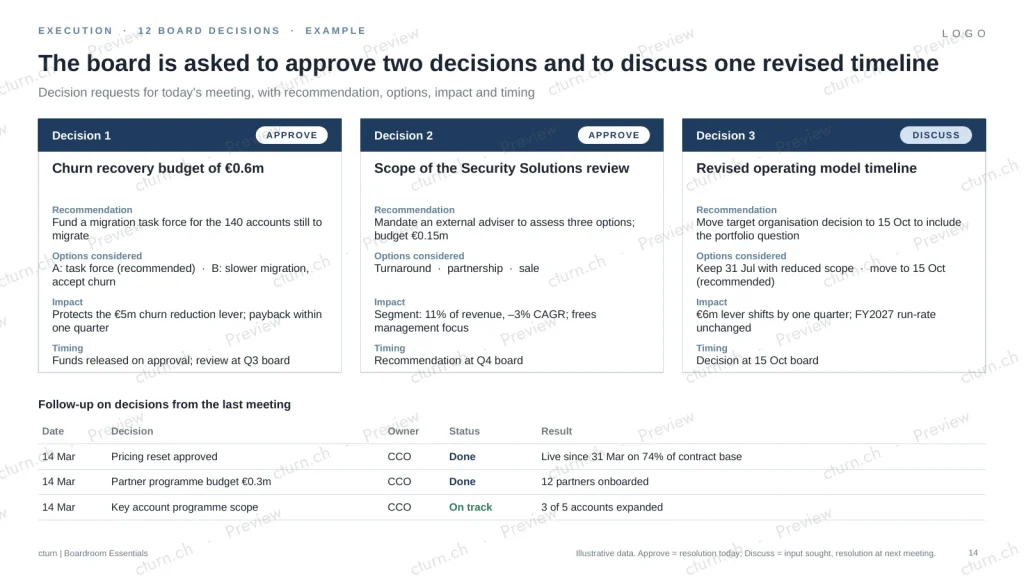
- Board Decisions
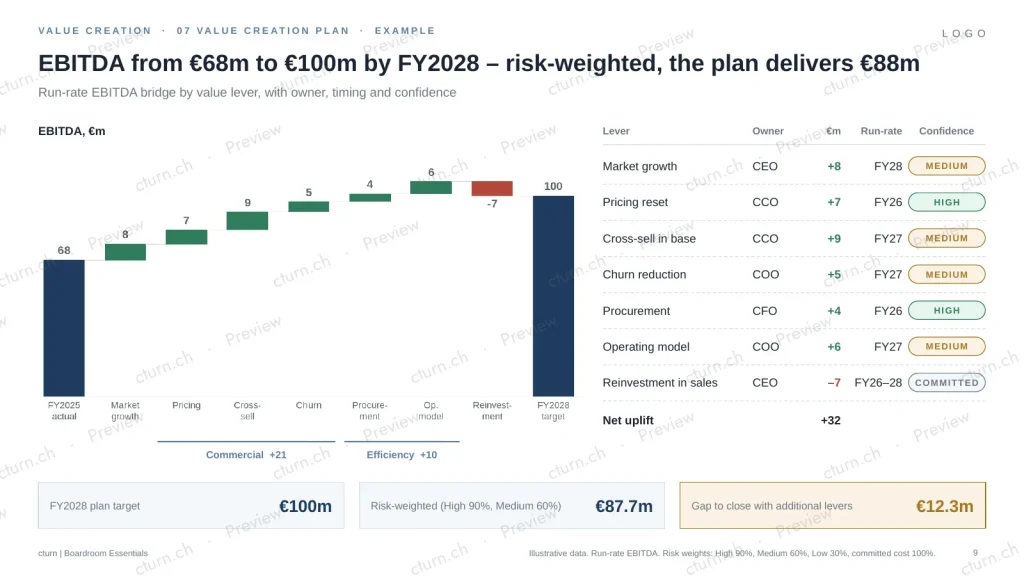
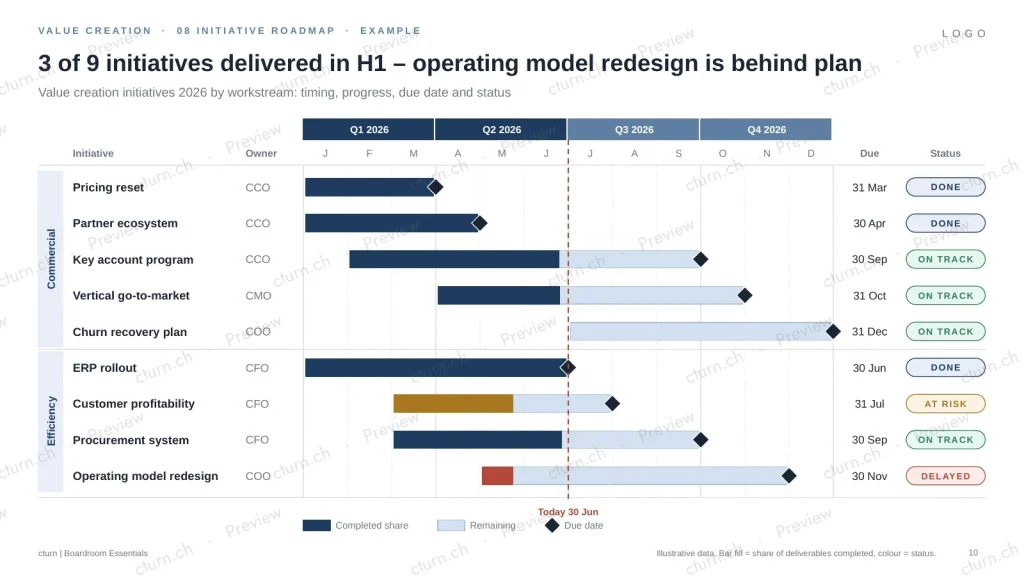
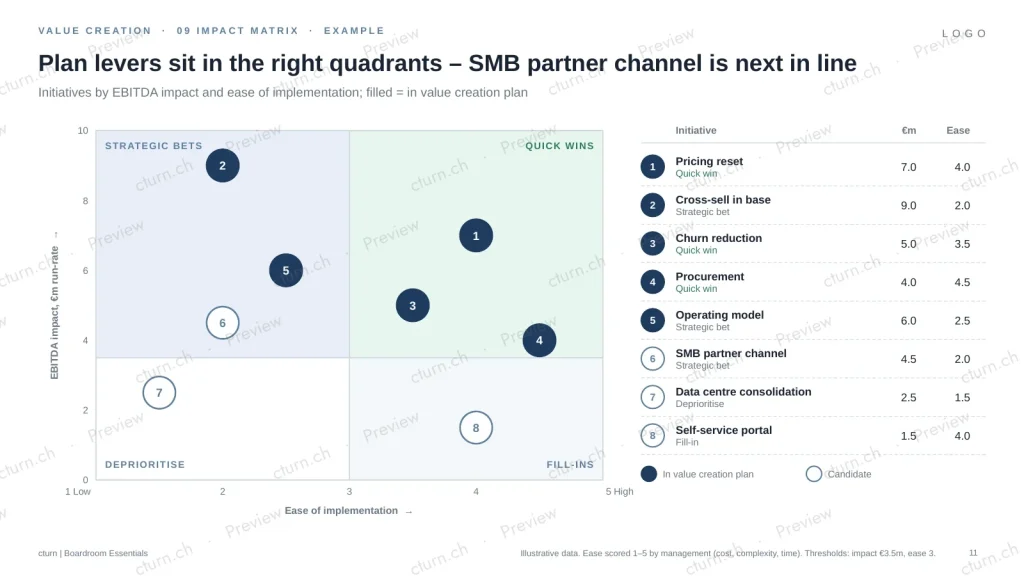
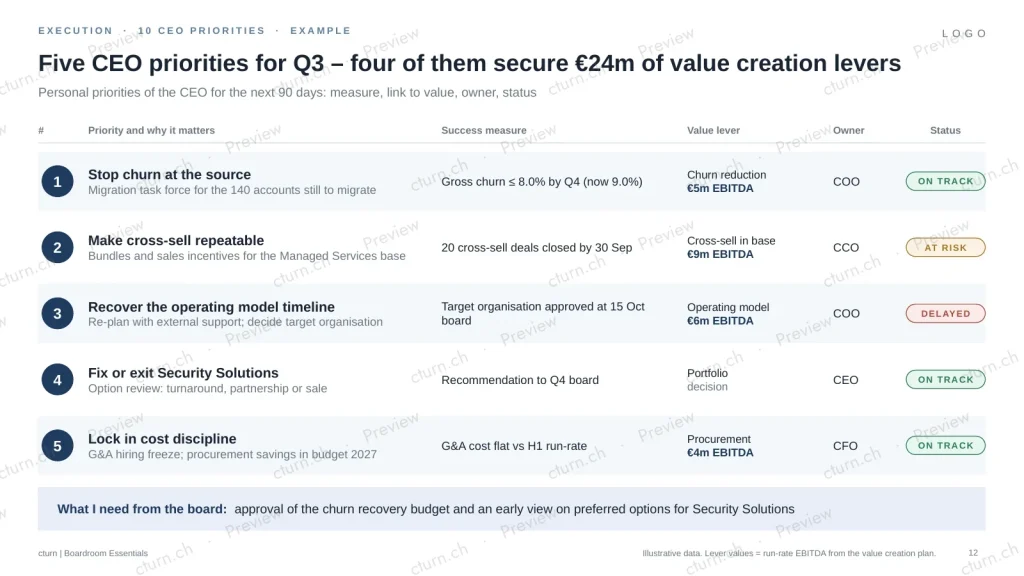
What makes them different
- Action titles, not topic titles – every example shows how to state the conclusion first.
- Fixed rules where boards get picky: RAG logic, axis breaks, ‘lower is better’ KPIs, rounding to 100%.
- Native PowerPoint charts – edit the data, the chart follows.
- One fictional business case across all twelve examples.
What you get
- PDF guide (19 pages): working with the data model, Excel to PowerPoint, branding to your CI, one page per framework, building the board pack
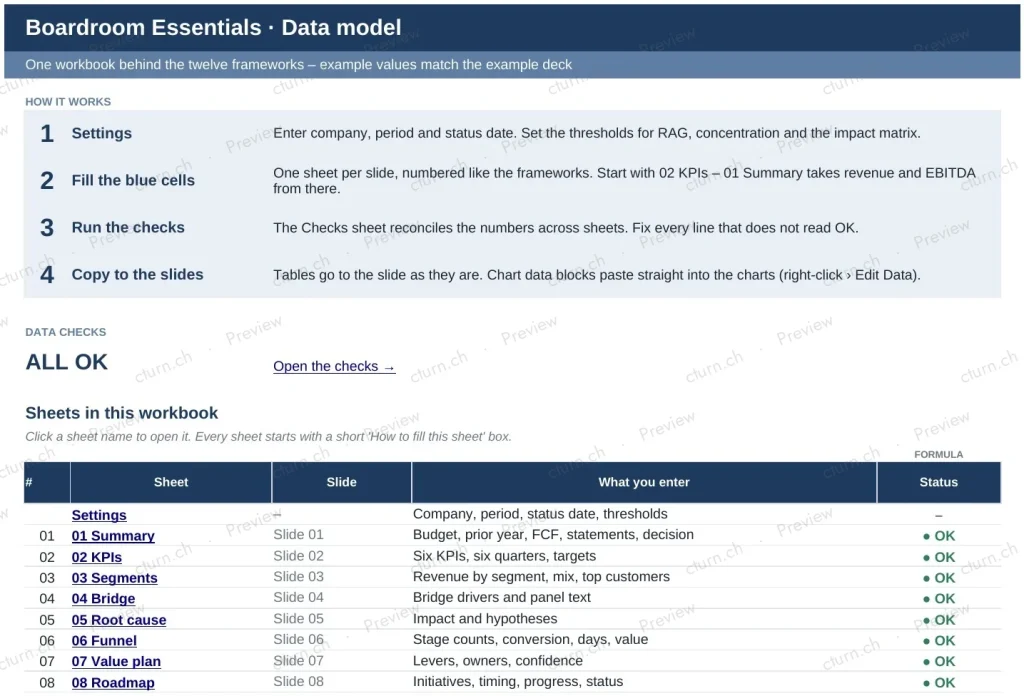
- Excel data model: start page with navigation, one sheet per framework with fill-in guidance and paste-ready chart data, checks dashboard
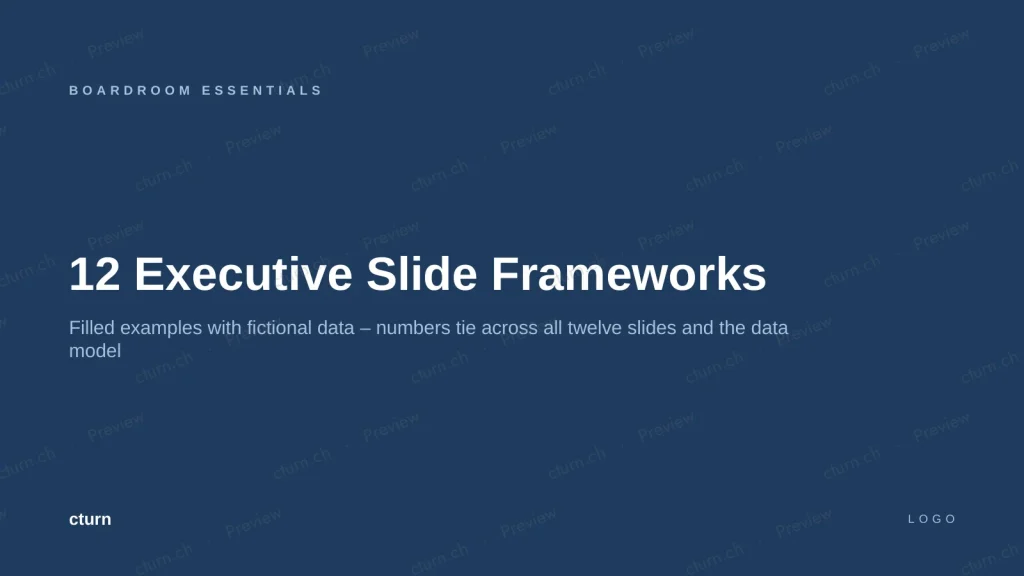
- Examples (.pptx): the twelve slides for a fictional company, numbers consistent with the data model
- Templates (.pptx, 16:9): twelve editable slides with native PowerPoint charts, rules in the speaker notes, plus a “Make it yours” slide
- PowerPoint and Excel 2016 or later, Windows and Mac
Make it yours
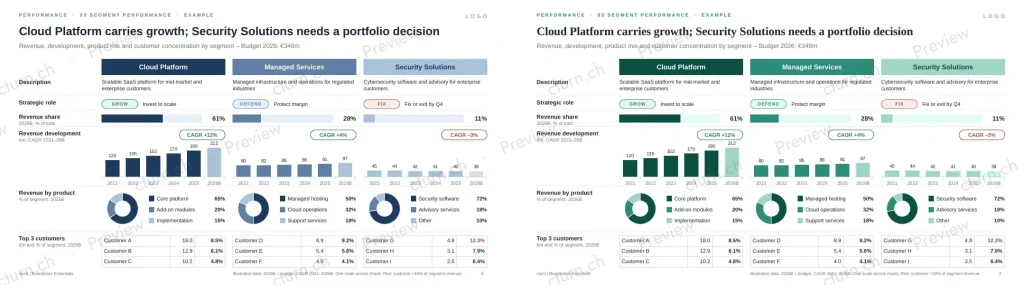
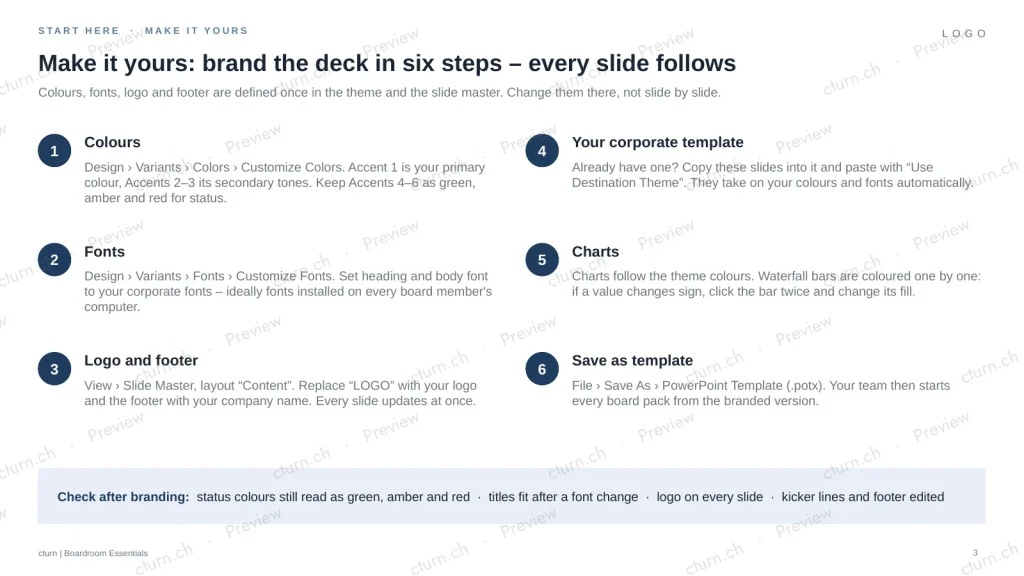
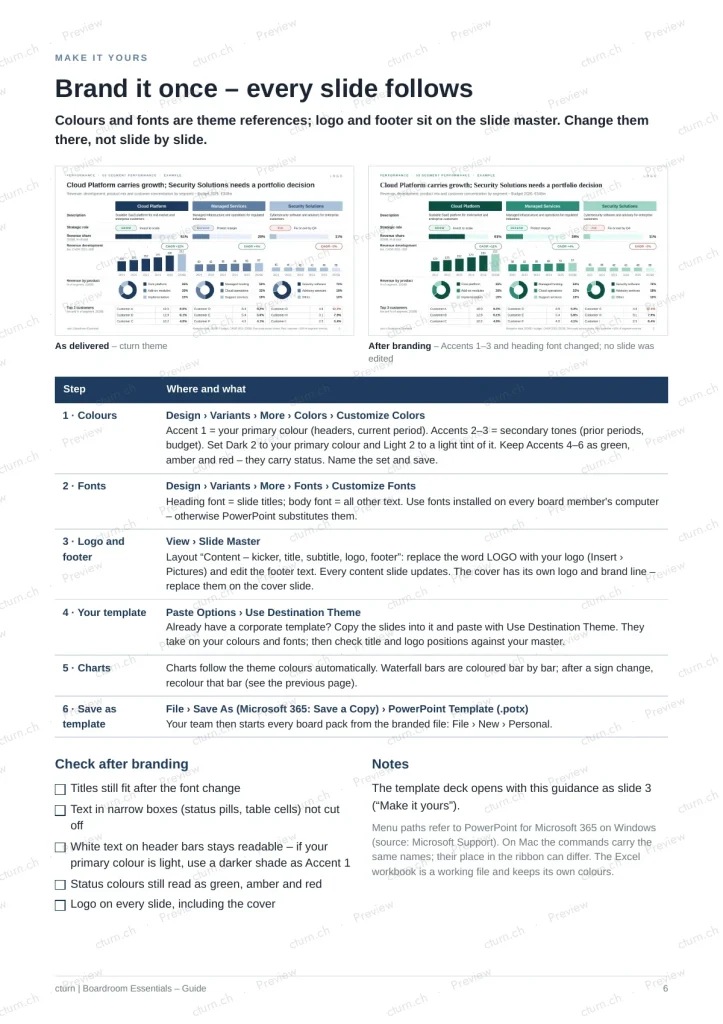
Colours and fonts sit in the theme, logo and footer on the slide master. Change them once and every slide follows. All charts are native PowerPoint charts, including the waterfall bridges: right-click › Edit Data, paste the values from the data model, done.
Who it is for
- CEOs and CFOs preparing board and investor meetings
- Operating Partners who want comparable reporting across portfolio companies
- Advisers who build board packs for clients
Frequently asked questions
Which software do I need?
PowerPoint and Excel 2016 or later on Windows or Mac; Microsoft 365 recommended. The waterfall charts are native PowerPoint charts. Older versions, Keynote and Google Slides may show them as a picture only.
Can I adapt the templates to our corporate design?
Yes. Change colours, fonts, logo and footer in one place and every slide follows. The guide shows it step by step. If you already have a corporate template, paste the slides with “Use Destination Theme”.
Are the charts editable?
Yes. All charts are native PowerPoint charts, including the waterfall bridges. Right-click › Edit Data and paste the values from the data model.
Who may use the files?
One purchase covers one company, including all its employees. Advisers may use them for client work. Reselling or redistributing the templates is not allowed.
Is the example data real?
No. All example data is fictional and consistent across slides.
How do I pay and get an invoice?
Checkout runs through Paddle, our merchant of record. Paddle handles payment, VAT and the invoice. In checkout you can add your company name and VAT number, and the invoice is issued to your company.
Can I get a refund?
If files are faulty, we replace them or refund the price. Details and statutory withdrawal rights: see Refunds.
CHF 290
one-time · company licence · Try the free sample first · Instant download
By purchasing you accept our terms and licence. Payments processed by Paddle.
Together with the Value Creation Plan Kit as a bundle for CHF 590 – you save CHF 190.